
DCA (Diploma in Computer Application)
About Course
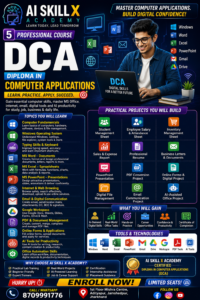
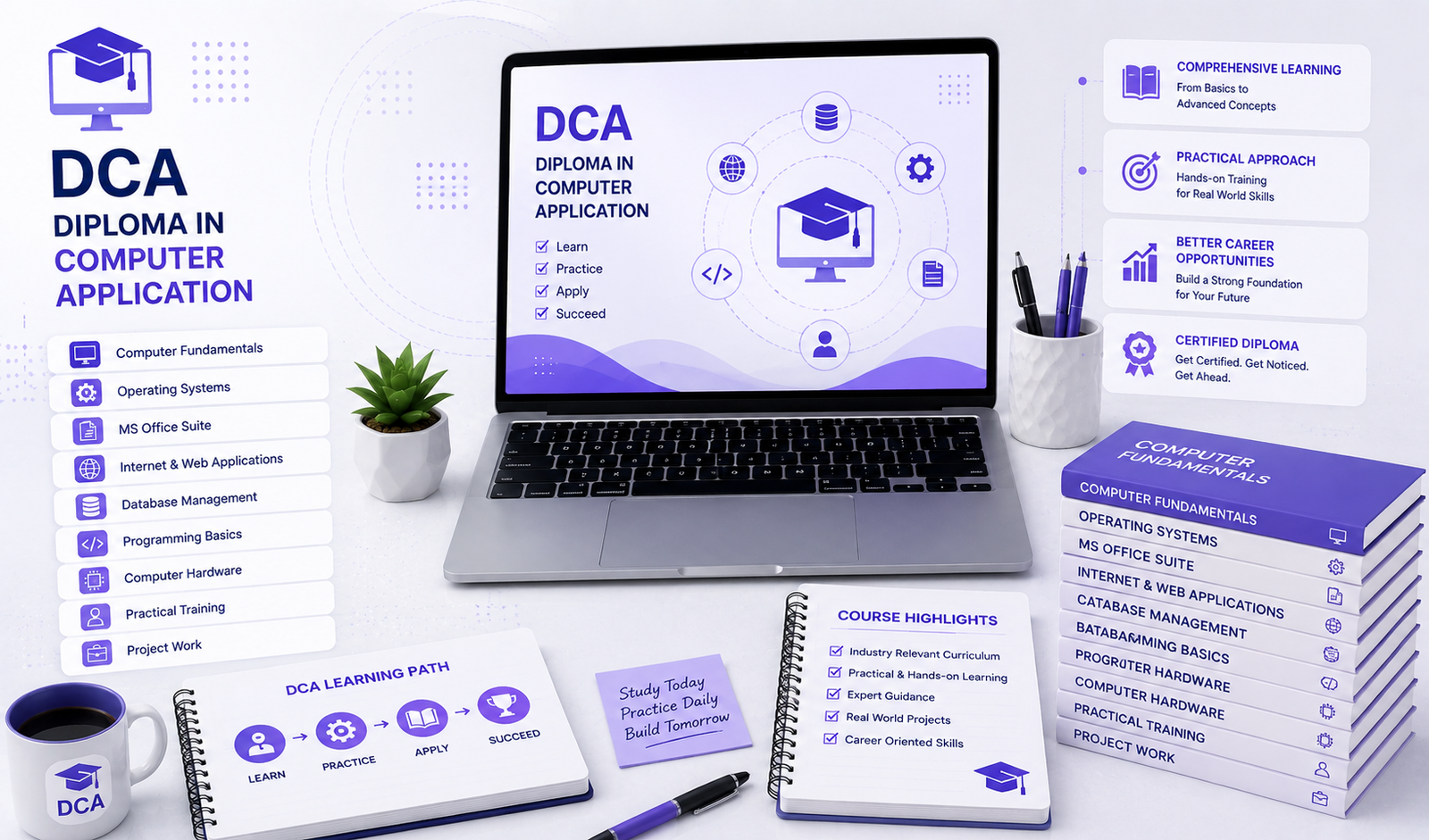
DCA – Diploma in Computer Applications
Master Essential Computer Applications & Digital Skills
Course Overview
In today’s digital world, computer knowledge is an essential skill for students, job seekers, professionals, entrepreneurs, and business owners. Almost every organization requires employees who can confidently use computers, office applications, internet tools, digital communication platforms, and basic productivity software.
The DCA – Diploma in Computer Applications program at AI Skill X Academy is designed to provide students with practical and job-oriented computer skills required for academic, professional, business, and everyday digital work.
This comprehensive program covers computer fundamentals, Windows, MS Word, MS Excel, PowerPoint, internet & email, typing, basic database concepts, digital documentation, online services, AI productivity tools, and practical office applications.
Students learn through hands-on practical sessions, assignments, real-world exercises, mini projects, and guided practice, helping them develop confidence in using computers independently.
Whether you are a school student, college student, graduate, job seeker, homemaker, entrepreneur, or working professional, this course provides a strong foundation for using computers effectively in the modern workplace.
Course Duration
Duration: 2–3 Months
Training Mode
- Offline Classroom Training
- Online Live Classes
- Hybrid Learning
- Practical Lab Training
Learning Approach
Theory + Practical + Assignments + Projects
Who Should Join?
This course is suitable for:
School & College Students
Graduates & Job Seekers
Beginners with No Computer Background
Office Staff & Professionals
Entrepreneurs & Small Business Owners
Homemakers
Freelancers & Digital Workers
Students Preparing for Competitive Exams
Anyone Wanting to Learn Computer Skills
Anyone Looking to Improve Digital Productivity
Course Modules
Module 1: Computer Fundamentals
Topics Covered
- Introduction to Computers
- What is a Computer?
- Characteristics of Computers
- History & Generations of Computers
- Types of Computers
- Computer Hardware & Software
- Input & Output Devices
- CPU & Processing
- Memory & Storage
- RAM & ROM
- HDD & SSD
- File & Folder Management
- Basic Computer Troubleshooting
Practical Activities
Identify computer components
Create and organize folders
Copy, move, rename & delete files
Manage storage devices
Basic computer troubleshooting
Module 2: Windows Operating System
Topics Covered
- Introduction to Operating Systems
- Windows Desktop
- Start Menu
- Taskbar
- File Explorer
- Desktop Customization
- System Settings
- User Accounts
- Installing & Uninstalling Software
- File Management
- Windows Search
- System Security Basics
- Backup & Restore Basics
Practical Activities
Windows configuration
File & folder management
Software installation
System settings practice
Backup and data organization
Module 3: Keyboard & Typing Skills
Topics Covered
- Keyboard Introduction
- Alphabet Keys
- Number Keys
- Function Keys
- Navigation Keys
- Special Keys
- Shortcut Keys
- Touch Typing Concepts
- English Typing
- Typing Accuracy
- Typing Speed Improvement
Practical Activities
Daily typing exercises
Speed tests
Accuracy improvement
Document typing practice
Keyboard shortcut practice
Module 4: MS Word – Document Creation
Topics Covered
- Introduction to MS Word
- Creating Documents
- Saving & Opening Documents
- Text Formatting
- Font & Paragraph Formatting
- Alignment
- Line Spacing
- Bullets & Numbering
- Page Setup
- Margins
- Headers & Footers
- Page Numbers
- Tables
- Images & Shapes
- Text Boxes
- Hyperlinks
- Find & Replace
- Spell Check
- Printing Documents
Practical Activities
Create professional documents
Create applications & letters
Create resumes
Create reports
Create notices
Create certificates
Create tables and formatted documents
Module 5: Advanced MS Word & Professional Documentation
Topics Covered
- Professional Document Formatting
- Styles
- Page Borders
- Cover Pages
- Table of Contents
- Document Templates
- Mail Merge
- Labels & Envelopes
- Professional Resume Design
- Business Letter Formatting
- Official Report Preparation
Practical Projects
Professional Resume
Business Letter
School/College Report
Office Notice
Certificate Design
Mail Merge Project
Module 6: MS Excel – Spreadsheet Fundamentals
Topics Covered
- Introduction to MS Excel
- Workbook & Worksheet
- Rows & Columns
- Cells & Cell References
- Data Entry
- Formatting
- Number Formatting
- Basic Formulas
- Operators
- SUM
- AVERAGE
- MIN
- MAX
- COUNT
- Basic Functions
- Sorting
- Filtering
- Find & Replace
Practical Activities
Create student records
Create employee records
Create sales sheets
Create expense sheets
Perform basic calculations
Module 7: Advanced MS Excel & Data Management
Topics Covered
- IF Function
- COUNTIF
- SUMIF
- AVERAGEIF
- Basic Lookup Concepts
- Conditional Formatting
- Data Validation
- Tables
- Charts
- Sorting & Filtering
- Freeze Panes
- Page Setup
- Printing Excel Reports
Practical Projects
Student Marksheet
Employee Salary Sheet
Monthly Expense Tracker
Sales Report
Attendance Sheet
Inventory Sheet
Module 8: MS PowerPoint – Presentation Skills
Topics Covered
- Introduction to PowerPoint
- Creating Presentations
- Slide Layouts
- Themes
- Text Formatting
- Images
- Shapes
- Icons
- Tables
- Charts
- SmartArt
- Slide Transitions
- Animations
- Presentation Design
- Slide Show
- Presentation Delivery
Practical Projects
Create educational presentation
Create business presentation
Create company profile
Create project presentation
Create course presentation
Module 9: Internet & Web Browsing
Topics Covered
- Introduction to Internet
- WWW
- Web Browsers
- Search Engines
- Google Search
- Effective Search Techniques
- Downloading & Uploading Files
- Online Forms
- Cloud Storage
- Google Drive
- Online Documents
- Online Safety
- Cyber Security Awareness
Practical Activities
Search information online
Upload/download documents
Use Google Drive
Fill online forms
Manage online files
Module 10: Email & Digital Communication
Topics Covered
- What is Email?
- Creating an Email Account
- Gmail Interface
- Sending & Receiving Emails
- Reply & Forward
- CC & BCC
- Email Attachments
- Email Signature
- Email Organization
- Spam & Phishing Awareness
- Professional Email Writing
Practical Activities
Create professional email
Send documents
Send attachments
Write professional emails
Create email signature
Module 11: Google Workspace & Cloud Productivity
Topics Covered
- Google Account
- Google Drive
- Google Docs
- Google Sheets
- Google Slides
- Google Forms
- Google Meet
- Cloud Storage
- File Sharing
- Collaboration
- Online Document Management
Practical Activities
Create Google documents
Create online spreadsheets
Create online presentations
Create Google Forms
Share and collaborate on files
Module 12: Digital Services & Online Applications
Topics Covered
- Online Form Filling
- Online Applications
- Document Upload
- PDF Download & Upload
- Digital Payments Awareness
- Online Banking Basics
- Government Digital Services
- Online Ticket Booking
- Digital Document Management
- Basic Digital Citizen Skills
Practical Activities
Online application practice
PDF/document uploading
Online form filling
Digital document management
Module 13: PDF & Document Management
Topics Covered
- What is PDF?
- Creating PDF Files
- Word to PDF
- Excel to PDF
- PowerPoint to PDF
- PDF Printing
- PDF Sharing
- Basic PDF Editing
- Combining Documents
- Document Conversion
- Digital File Organization
Practical Activities
Create PDF documents
Convert documents
Organize digital files
Prepare professional documents
Module 14: AI Tools for Computer Productivity
Topics Covered
- Introduction to Generative AI
- AI in Office Work
- AI-Assisted Writing
- AI-Assisted Research
- AI for Emails
- AI for Documents
- AI for Presentations
- AI for Excel Productivity
- Prompt Basics
- Responsible AI Usage
Practical Activities
Generate professional emails
Create document drafts
Generate ideas
Improve written content
Create presentation content
Use AI for everyday productivity
Module 15: Office Automation & Professional Skills
Topics Covered
- Office Workflow
- Digital File Management
- Data Entry
- Document Preparation
- Spreadsheet Management
- Presentation Preparation
- Email Communication
- Printing & Scanning
- Digital Record Keeping
- Professional Communication
- Workplace Productivity
Practical Activities
Complete office workflow exercises
Prepare business documents
Manage digital records
Create reports
Perform data-entry tasks
Final Practical Projects
Students will complete practical projects such as:
Student Management Spreadsheet
Employee Salary & Attendance System
Sales & Expense Report
Inventory Management Sheet
Professional Resume
Business Letter & Office Documentation
Professional PDF Report
PowerPoint Business Presentation
Professional Email Communication Project
Online Form & Digital Documentation Project
AI-Assisted Office Productivity Project
Tools & Technologies Covered
Computer & Operating System
- Windows
- File Explorer
- Basic System Tools
Office Productivity
- Microsoft Word
- Microsoft Excel
- Microsoft PowerPoint
Internet & Communication
- Google Chrome
- Gmail
- Google Drive
Google Workspace
- Google Docs
- Google Sheets
- Google Slides
- Google Forms
- Google Meet
AI Productivity
- Generative AI Tools
- AI Writing Tools
- AI Research Tools
- Prompt Engineering Basics
Digital Documents
- PDF Tools
- Document Conversion
- Digital File Management
Course Benefits
Beginner-Friendly Training
Practical Computer Training
Hands-On Lab Practice
MS Office Skills
Excel & Data Entry Skills
Internet & Email Skills
Google Workspace Training
AI Productivity Skills
Real-World Assignments
Practical Projects
Resume Preparation
Workplace Readiness
Interview Preparation
Career Guidance
Certification
Career Opportunities
After completing DCA, learners can apply for entry-level roles such as:
Computer Operator
Data Entry Operator
Office Assistant
Computer Assistant
Back Office Executive
Office Executive
Documentation Executive
MIS Assistant
Junior Computer Executive
Administrative Assistant
Customer Support Executive
Digital Office Assistant
Computer Lab Assistant
Freelance Data Entry Professional
Freelancing Opportunities
DCA learners can also start offering basic digital services such as:
Data Entry
MS Word Document Formatting
Excel Data Entry
Excel Spreadsheet Preparation
PDF Conversion
Document Formatting
Resume Preparation
PowerPoint Presentation Creation
Online Form Filling
Internet Research
Virtual Assistant Tasks
Basic Digital Documentation
Certification
AI Skill X Academy Certified
Diploma in Computer Applications – DCA
Certificate awarded upon successful completion of:
Course Training
Practical Assignments
Assessments
Projects
Final Practical Evaluation
Why Choose AI Skill X Academy?
Practical Computer Training
Beginner-Friendly Learning
Hands-On Lab Sessions
Real-World Office Tasks
Industry-Oriented Curriculum
AI-Enabled Computer Training
Project-Based Learning
Experienced Trainers
Career Guidance
Interview Preparation
Internship Support
Certification
Student Ratings & Reviews